Web Server & REST API
Keen provides a robust Web Server built on FastAPI and Uvicorn, enabling both an interactive visual dashboard and a fully documented RESTful API for integration and automation.
Launching the Web Server
You can start the web server from your terminal or directly within the Keen interactive shell:
# From the command line
python keen.py --web --host 127.0.0.1 --port 8000

# With live reloading and debug logging enabled
python keen.py --web --host 127.0.0.1 --port 8000 --debug
Once running, the web server provides three primary interfaces:
- Interactive UI Dashboard: http://127.0.0.1:8000/
- Interactive REST API Docs (Swagger UI): http://127.0.0.1:8000/docs (or via
/api) - OpenAPI Schema: http://127.0.0.1:8000/openapi.json
The Interactive UI Dashboard
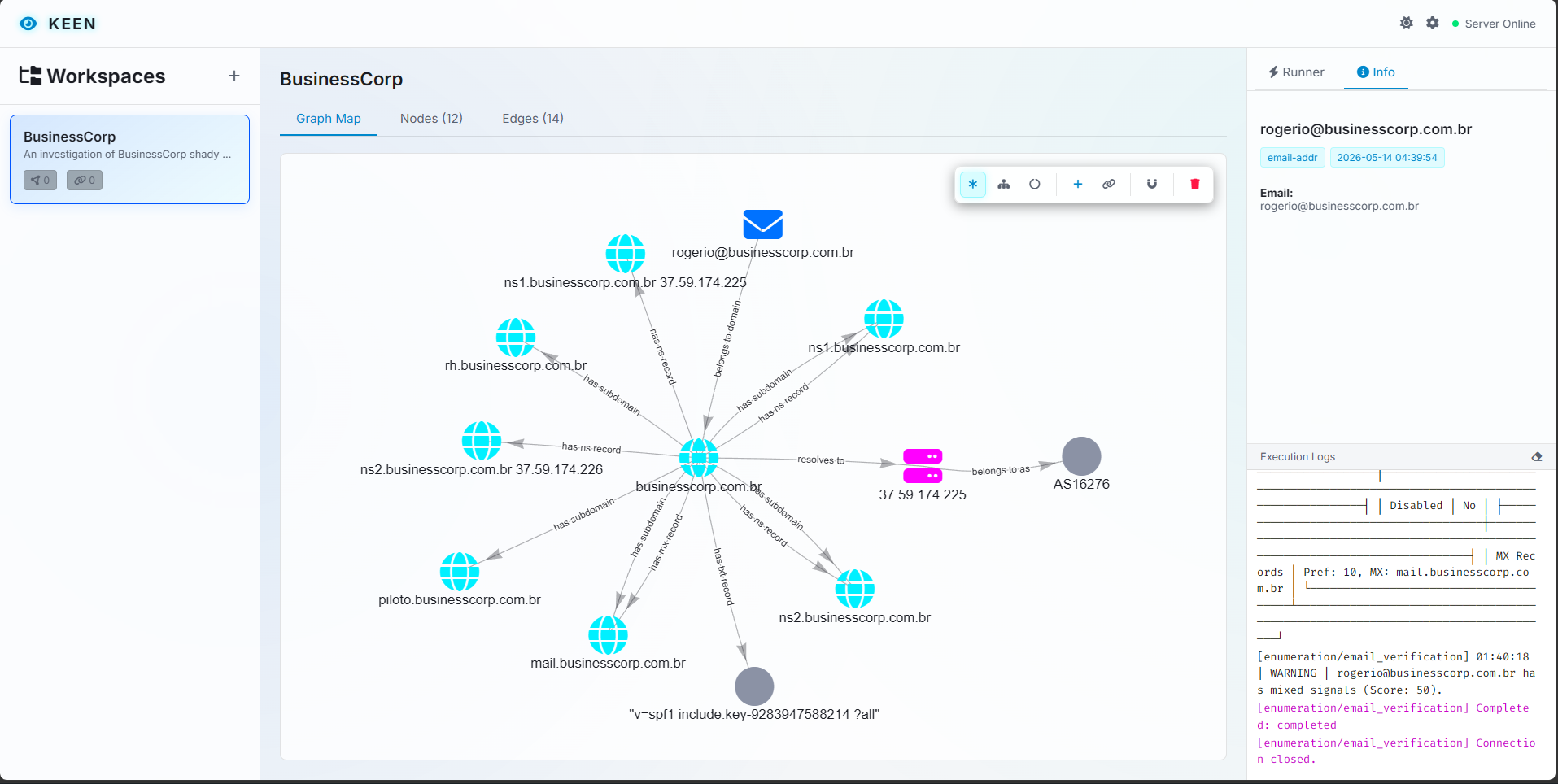
Mounted at /, the web interface provides a rich environment for security investigators:
- Graph Visualization: Visually explore intelligence nodes and relationship edges. Drag, drop, and rearrange nodes to uncover connections. Node positions are automatically saved across sessions.
- Case Management: Switch between active workspaces, create new cases, or export complete intelligence graphs in standard formats.
- Module Execution: Configure target options and trigger reconnaissance modules directly from your browser.
Settings & Preferences
The dashboard features a centralized settings menu that allows you to configure the application and manage sensitive credentials. The settings interface is organized into a two-panel layout with a navigation sidebar:
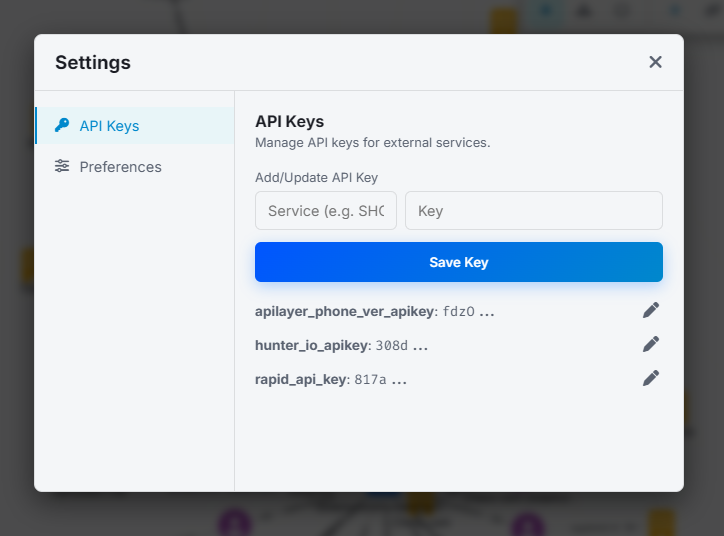
- API Keys: Manage third-party API keys for modules. To protect your credentials, this section is locked and requires you to enter your master password to view or modify keys.
- Preferences: Adjust UI behavior, global settings, proxy settings, and display settings. This section is accessible without needing to unlock the credential manager.
REST API Endpoints
FastAPI automatically generates comprehensive OpenAPI documentation. Navigating to /docs allows you to inspect request schemas, test endpoints live, and review responses.
Below is an overview of the core REST API endpoints available:
Workspace & Case Management
GET /api/workspaces: Retrieve all registered workspaces along with active node and edge metrics.POST /api/workspaces: Create a new workspace database.PUT /api/workspaces/{name}: Rename an existing workspace.DELETE /api/workspaces/{name}: Delete a workspace from the registry.
Intelligence Graph (Nodes & Edges)
GET /api/workspaces/{name}/nodes: Fetch all intelligence nodes (STIX 2.1 / MISP objects) in a workspace.POST /api/workspaces/{name}/nodes: Manually create a custom intelligence node.DELETE /api/workspaces/{name}/nodes/{node_id}: Remove a specific node from the investigation graph.GET /api/workspaces/{name}/edges: Retrieve all relationship edges linking nodes.POST /api/workspaces/{name}/edges: Create a directional relationship between two nodes.DELETE /api/workspaces/{name}/edges/{edge_id}: Remove a relationship edge.POST /api/workspaces/{name}/nodes/positions: Update and persist 2D graph layout coordinates (x,y).
Framework Configuration & Modules
GET /api/modules: List all loaded intelligence modules and their required configuration options.POST /api/config/unlock: Unlock the secure credential manager using your master password.GET /api/config/keys: Retrieve all stored API key services (masked).POST /api/config/keys: Securely store a new third-party API key.
Real-Time Execution via WebSockets
To support long-running reconnaissance tasks without blocking HTTP requests, Keen uses WebSockets for module execution:
Endpoint: ws://<host>:<port>/ws/modules/{module_name}/run
Real-Time Log Streaming
When a WebSocket connection triggers an execution request, the server instantiates the module within an asynchronous task. It intercepts both structured debug logs and standard console output/error streams, streaming them back to the client in real time. This ensures investigators can monitor discovery progress, network probes, and scraped artifacts exactly as they occur.